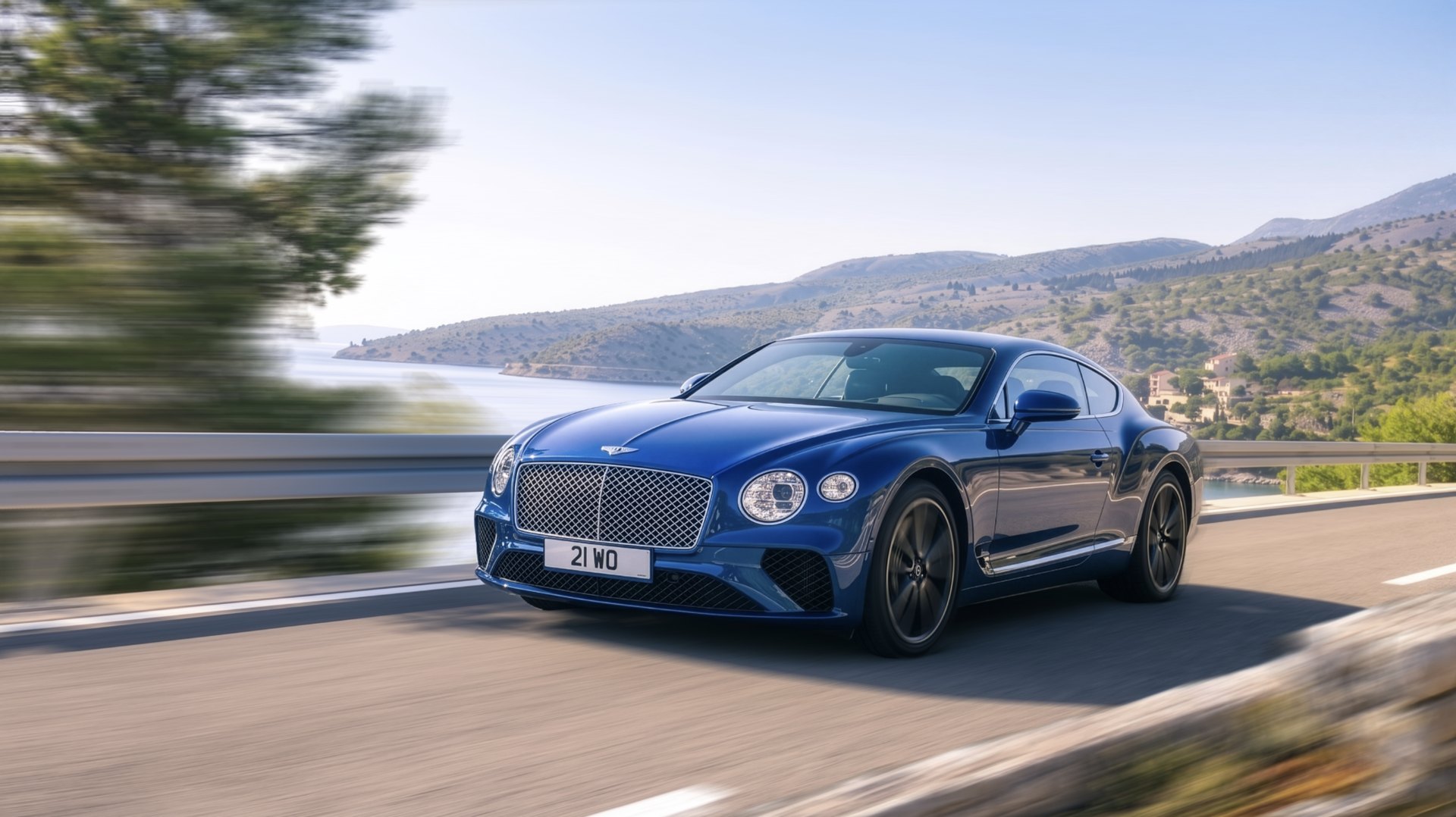
Vector//RIG simulates photographic motion blur on automotive stills with a spline-driven vector field. Choose monthly, annual or perpetual licensing.
Born from the classic backplate workflow: draw the motion, let the field do the physics.
Draw vectors and curved blurrers over the plate; a Delaunay-interpolated field bends the blur exactly along the car's motion — wheels, body, background, each at its own speed.
A reference CPU renderer and a WebGL2-accelerated engine that reproduces it, with automatic fallback to the CPU when the graphics card cannot take the job. Preview in real time, render at full quality.
Load .hdr and .exr at unlimited resolution, tone-map for preview, deliver linear for compositing. TIFF, PNG and JPG too.
Seam-aware blur for equirectangular HDRIs — the field wraps across the pano edge, ready for backplate and dome workflows.
Spline and lasso masks drawn straight on the plate, each with its own strength — a mask can hold back half the blur rather than all of it. The magic wand and SAM2 click-to-segment are included, both running on your own machine.
Bring in another image as a layer — a reflection, a cut-out, a plate element. Scale, offset, rotate and warp it, blend it, give it its own blur, and decide independently whether it shows in the preview, in the render, or in both.
Several projects live in one window and keep their state while you work on another: switch back and the rig, the image and the history are as you left them. Inside a project, each scene is a tab. Save Portable files with images included or Linked files with a companion resources folder.
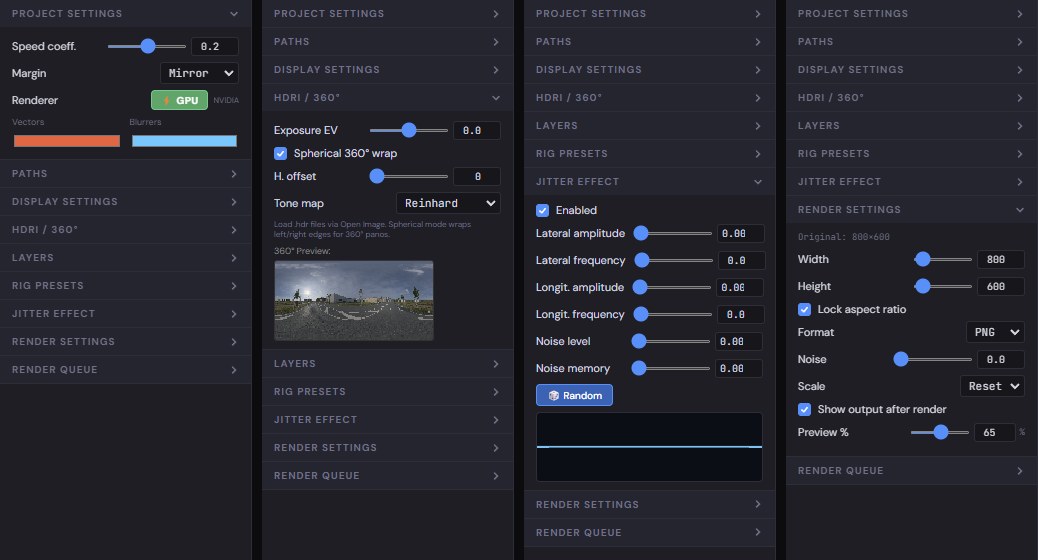
A real long exposure is never perfectly smooth. Lateral and longitudinal amplitude and frequency, plus noise and how much the wobble remembers of itself, with a live curve of the path the exposure will take.
Analyze a scene using your own ChatGPT/Codex or Claude/Claude Code account, a personal OpenAI or Anthropic API key, or experimental local Ollama. Review motion guides, wheel rigs and masks before applying them. Provider access and charges remain yours.
Fit a perspective ellipse to the rim and extend it with linked tyre blur. Adjust rotation, sidewall and tread size, depth and mirror direction. Use fender masks to keep the bodywork over the moving wheel.
Save a finished rig and drop it on the next frame — it rescales itself to the new size, so a set shot the same way is set up once. Then hand the whole set to the batch render queue.
Same plate, seconds apart.
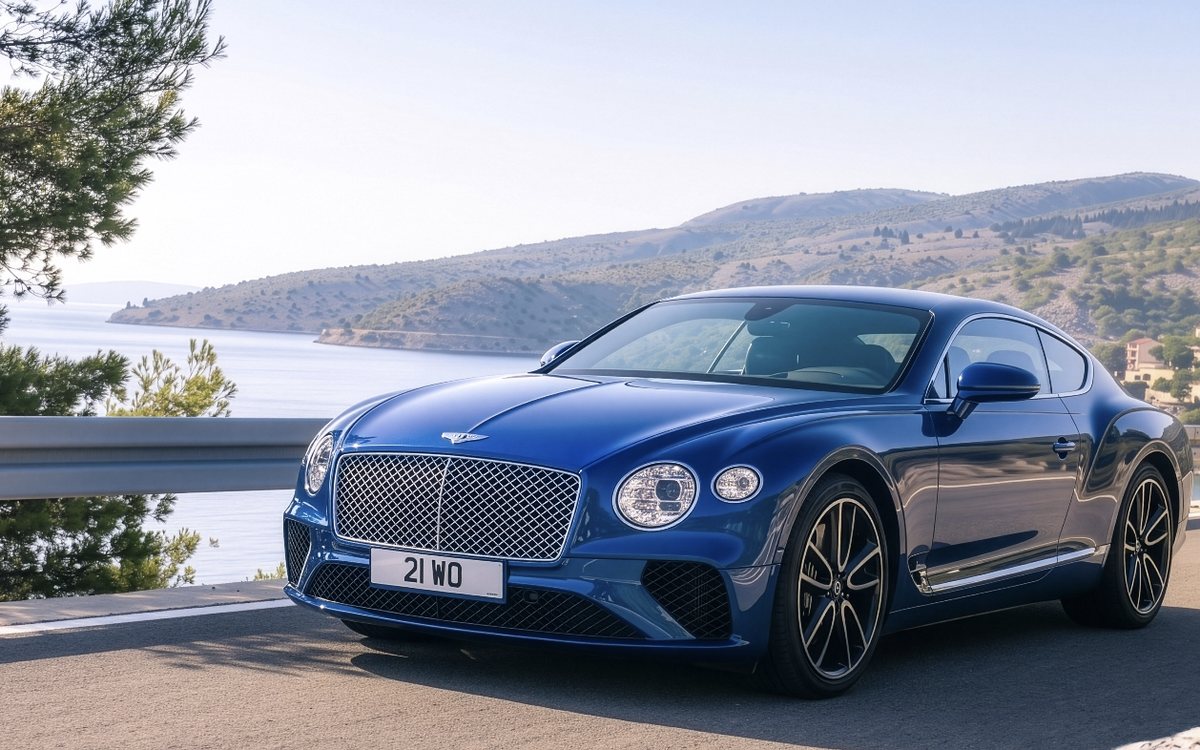
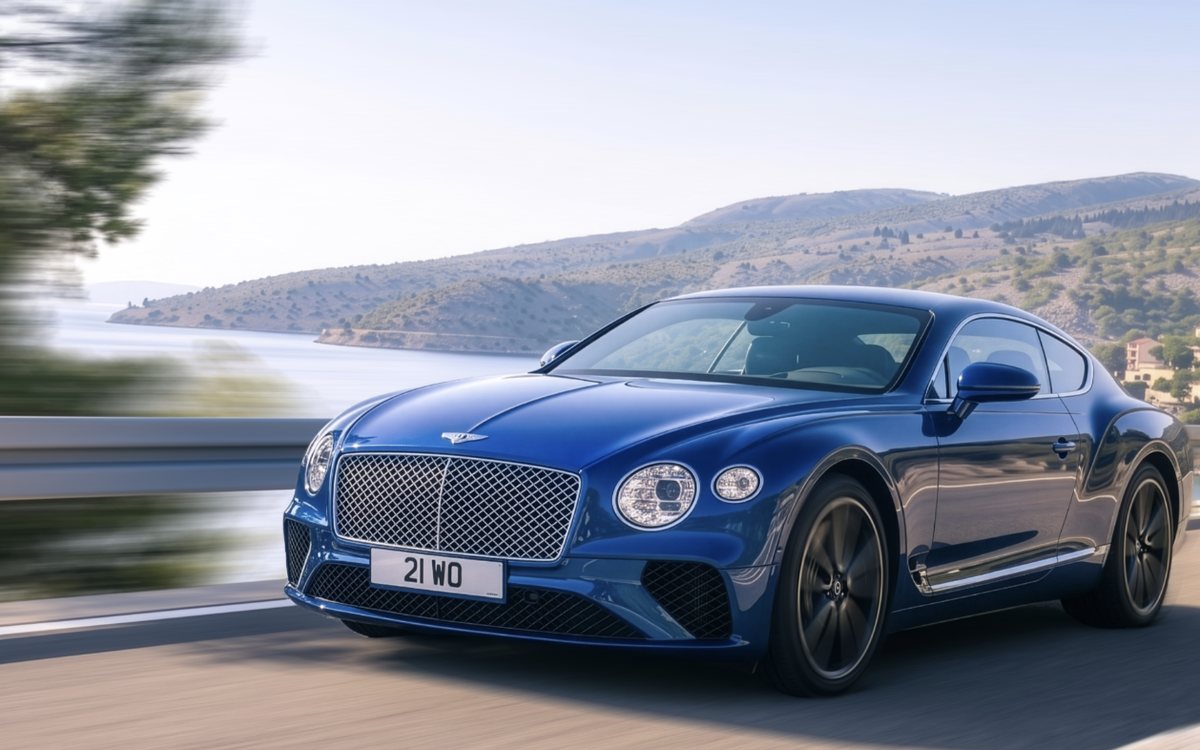
Same plate, one rig. The background follows the direction of travel, the wheels turn about their own hubs, and the bodywork stays sharp — three different speeds from one field.
Equirectangular HDRIs blur seam-aware: the field wraps around the edge of the panorama instead of stopping at it.
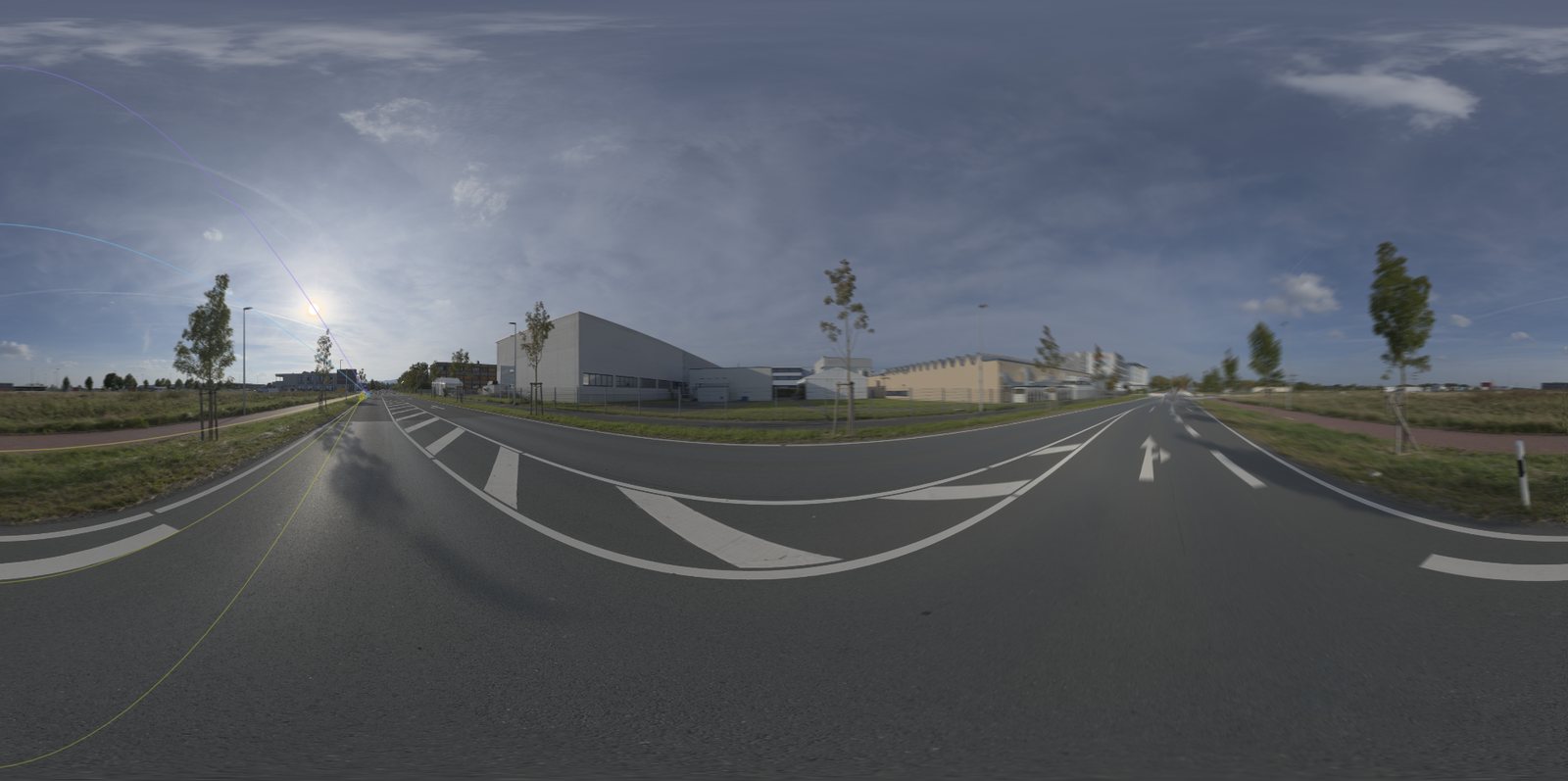
The whole sphere at once. A 360° frame is several thousand pixels wide, so at this size the streaks average out — here is a strip of it at close to full scale, with the rig on the left and the render on the right.
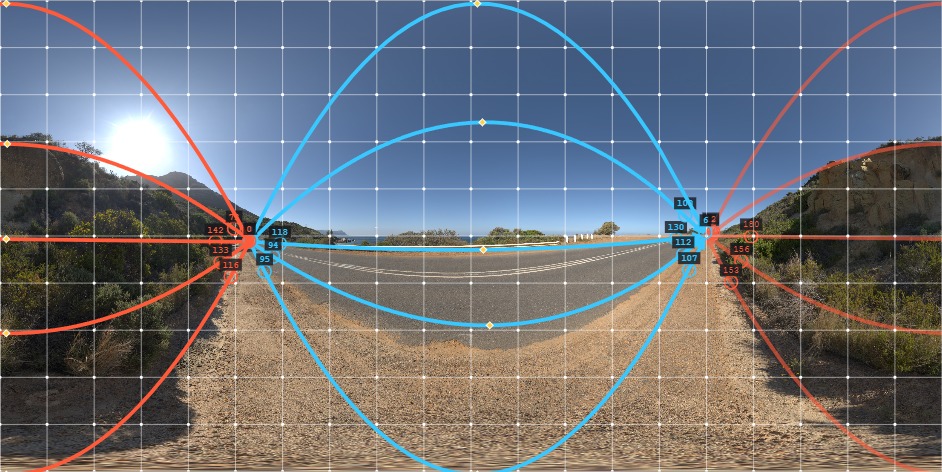
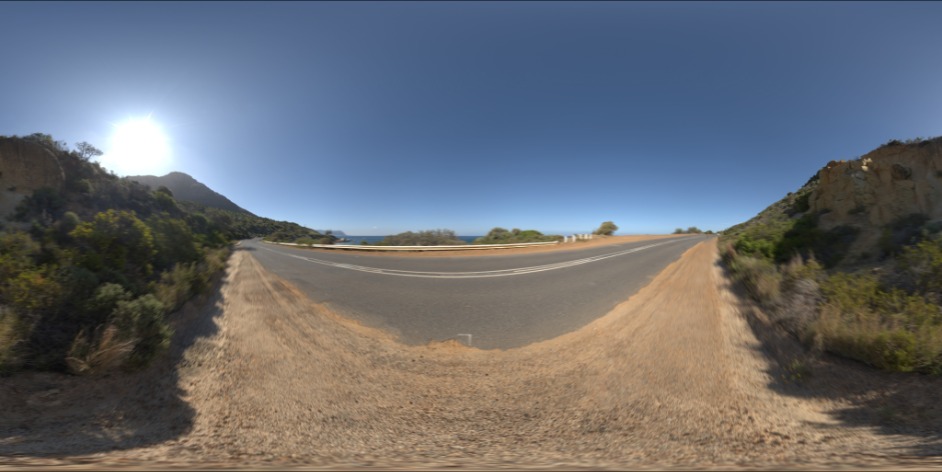
STUDIO — HDR and EXR panoramas at unlimited resolution.
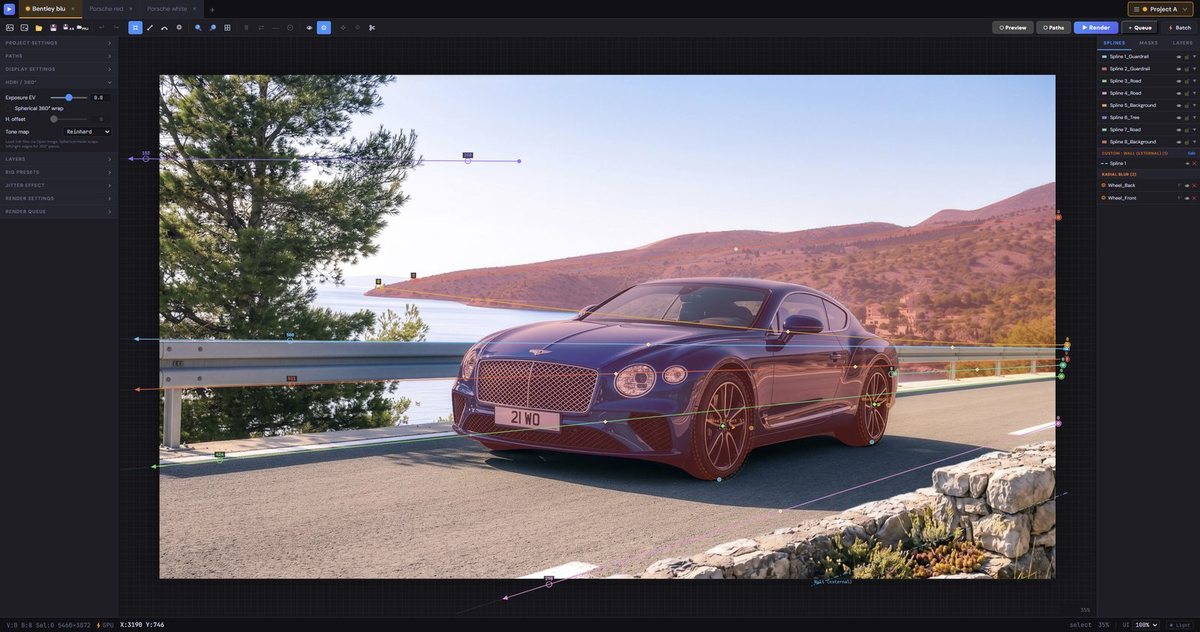
Everything on one canvas: vectors, masks, layers, live preview.
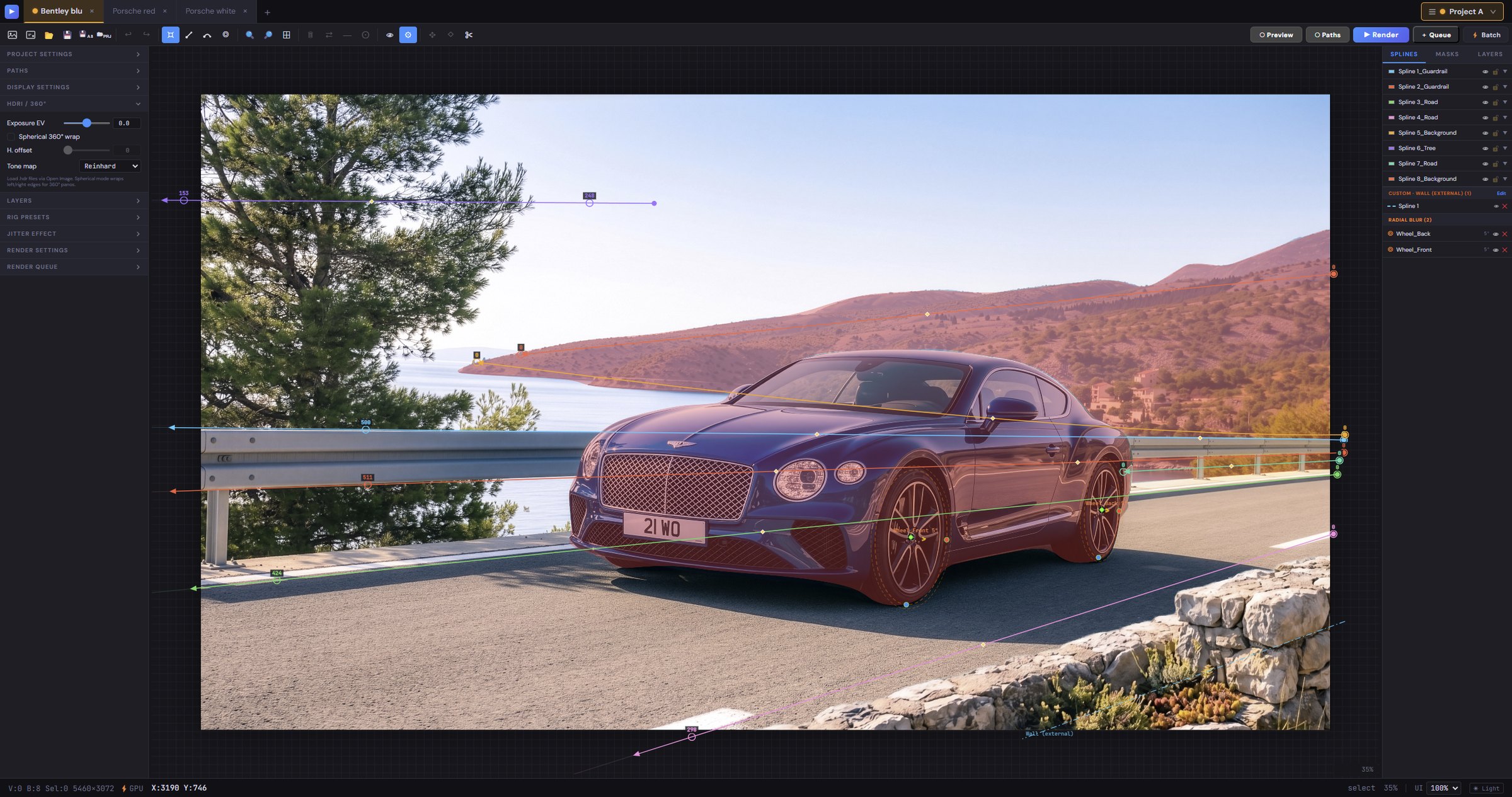
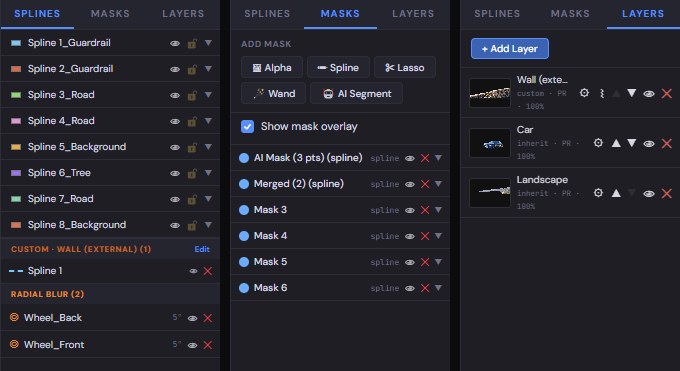
Three tabs over the same picture. The splines are the motion; the masks decide where it lands and how much of it; the layers are the other pictures in the frame, each with its own blur.
Speed and margin, the HDRI and its 360° wrap, the jitter that keeps a long exposure from looking synthetic, the output size and format. The same panel, shown here group by group.
Every plan includes the complete toolset. Trial: 14 days, including saving and rendering. AI provider accounts and usage are supplied and paid for by you.
Billed monthly. Updates while subscribed.
Billed annually. Equivalent to €37.42/month.
Permanent use of entitled versions. Includes 12 months of maintenance, updates and upgrades.
Optional 12-month maintenance renewal for perpetual licenses, including updates and any upgrades released during that period.
Launch prices exclude applicable taxes. Purchases are currently closed. Monthly and annual plans will renew until cancelled; maintenance is an optional one-time purchase.
The perpetual license remains usable without a maintenance renewal. Subscription access lasts for the paid term. AI subscriptions and API charges are separate from the software license.
You choose: €49/month, €449/year, or €999 for a perpetual license including 12 months of updates. An optional 12-month maintenance renewal costs €249, includes updates and any upgrades released during the covered period, starts on the renewal purchase date and requires no back payments. Prices exclude applicable taxes. Purchases are not open yet.
Studio is fully available for 14 days from first activation, including save and render. There is one installer. AI Assistant uses your own compatible provider account or API key; no AI credits are included.
Use Help → Manage License → Deactivate on the old computer, then activate on the new computer. Standard licenses allow two activated computers for one user, with use on one computer at a time.
Floating is available on request. Contact us to discuss concurrent seats and pricing. There is no automatic checkout.
SAM segmentation and rendering run locally. AI Assistant sends the selected image and instructions to your chosen provider when you use ChatGPT, Claude or a personal API connection. Local Ollama analysis stays on your computer.
Windows 10/11 64-bit. GPU rendering uses WebGL2 and runs on any reasonably recent NVIDIA, AMD or Intel graphics card; where it is unavailable the CPU renderer takes over on its own, so the app works either way. Large HDR and EXR files ask for memory rather than a fast card — 16 GB is a comfortable floor for 16k panoramas. A macOS build is planned.
Standard Studio licenses allow up to 7 days offline from the last successful verification, never beyond Trial or subscription expiry. Use on one computer at a time is a license condition.
Write to [email protected] from your purchase email address and we'll re-send it.
14 days, no questions asked, if the software doesn't fit your pipeline. See the refund policy.
Everything the tool does, written down — and, shortly, the same thing shown on a real shot.
The interface panel by panel, AI Assistant connections and rig proposals, radial and tyre blur, masks, layers, Portable and Linked saving, rendering, HDRI and 360°, case studies and keyboard shortcuts. The same manual the app opens on F1, readable here before you buy.
One shot from the plate to the finished frame, in real time: placing the vectors, shaping the splines along the car, masking the body, spinning the wheels and rendering. With the example scene to download and follow along.